Professional ProjectAugust 1, 2021 — December 1, 2024
Corporate ICT Monitoring & Security Suite
BackendFull Stack

Project Overview
Engineered and deployed an enterprise ICT infrastructure monitoring and remote security management suite utilizing MeshCentral and MikroTik RouterOS for corporate headquarters and branch office networks.
Architecture & Role: ICT Architect & Systems Engineer designing the telemetry collection agents, central management server, firewall security policies, and automated alerting mechanisms.
Key Accomplishments & Architecture Highlights
- Business Problem: Provided real-time centralized operational control and security oversight over dispersed branch hardware and corporate endpoints.
- Centralized Endpoint Diagnostics: Remote terminal execution, hardware telemetry (CPU, RAM, disk health), and automated asset inventories.
- Network Telemetry & Bandwidth Management: Bandwidth monitoring, VPN site-to-site tunnels, and traffic prioritization via MikroTik router interfaces.
- Security & Patch Enforcement: Automated OS update monitoring, unauthorized software detection, and secure administrative session management.
- Incident Response Workflow: Streamlined technical troubleshooting workflows across corporate head office and branch networks.
- Business Impact: Minimized remote office system downtime, eliminated unvetted device access, and unified corporate IT operations under one dashboard.
Tech Stack & Tools
MeshCentralNode.jsexpress.jsMikroTikDatabase AdministrationCyber SecurityNetworkingIT Support
Project Category
Backend • Full Stack
Project Type
Professional Enterprise Project
System Screens & Interface Showcase
Click on any screenshot to open the interactive fullscreen preview modal.
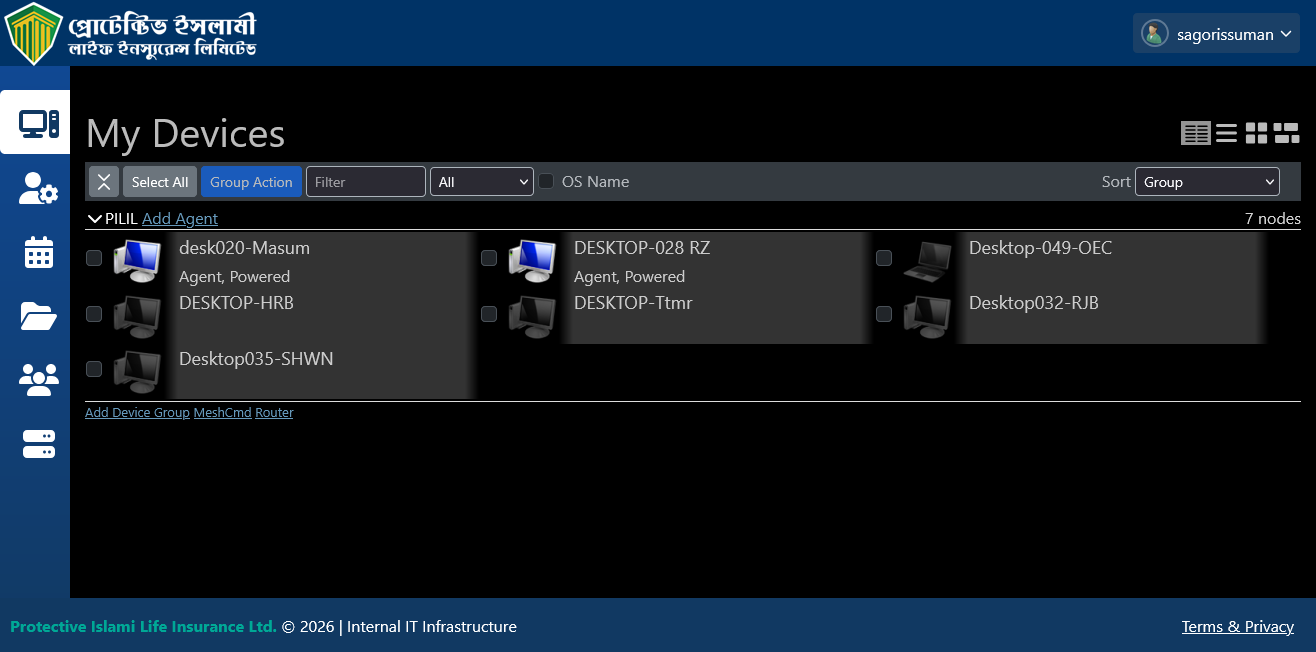
MeshCentral Control & Monitoring Dashboard
Central administration panel showcasing live connected endpoints, system telemetry, CPU/RAM load metrics, and security access controls.
Preview Screen